

Does your iPad say there isn’t enough storage to install an iPadOS update? You may be able to fix this without buying a new iPad or deleting all your photos.
Start by checking which apps and files are using the most space. You can then remove unnecessary downloads, offload apps you rarely use and review large videos or other files.
Important: Before deleting photos, messages or other personal information, make sure anything you want to keep is backed up. iCloud synchronisation is not always the same as having a separate backup.
This guide shows you how to free up storage safely and try the update again.
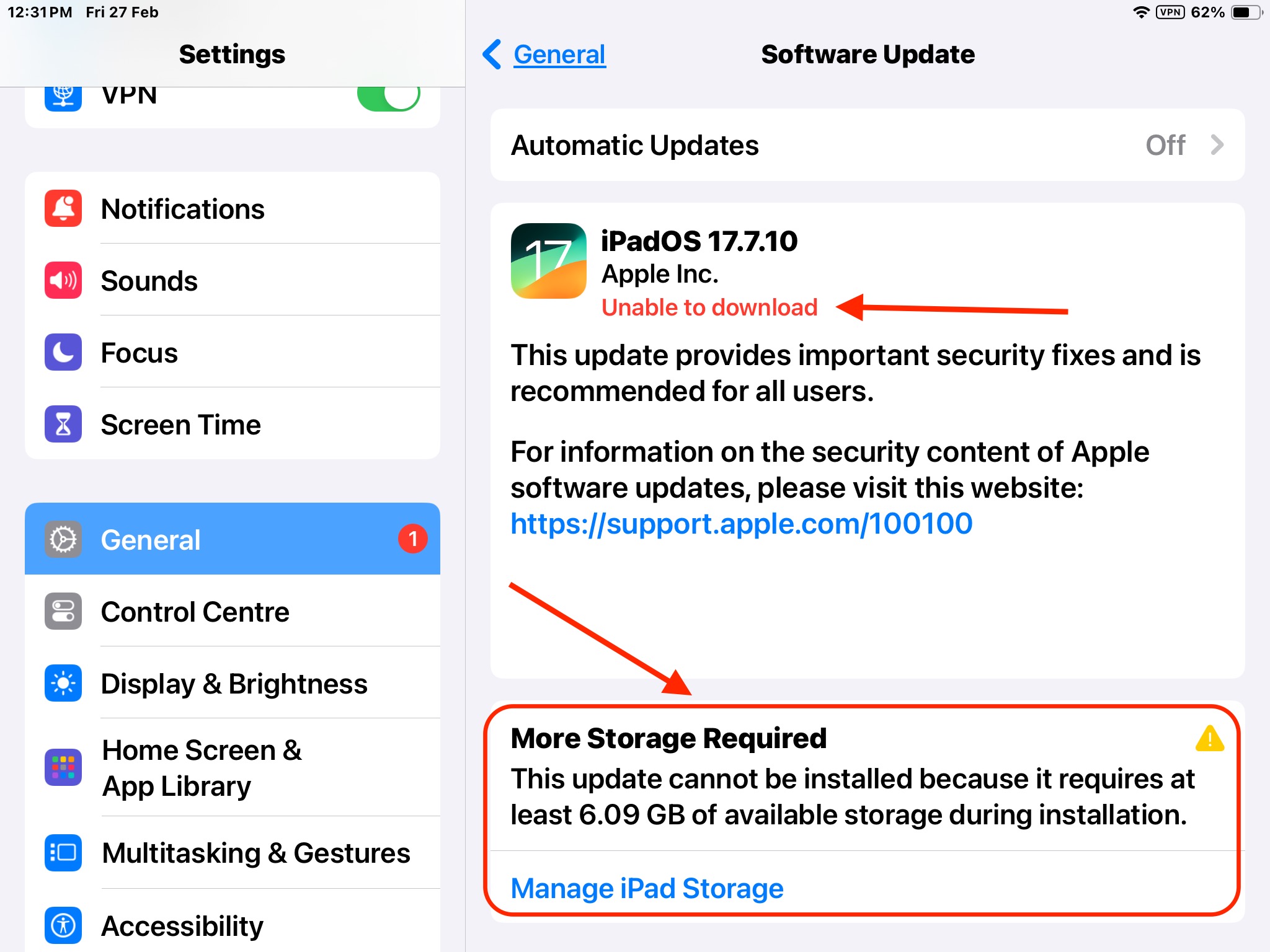
How to free up storage on an iPad before updating
1. Check what’s using your storage
- Open Settings.
- Tap General → iPad Storage.
- Wait for the storage breakdown to load.
- Review the apps and categories using the most space.
Your iPad may also display recommendations for freeing up storage.
2. Offload apps you rarely use
Offloading removes an app but keeps its documents and data, so you can reinstall it later if it is still available.
- Open Settings → General → iPad Storage.
- Select an app you rarely use.
- Tap Offload App, if available, and confirm.
Choose Delete App only if you’re happy to remove the app and its associated data. Check whether important information is backed up first.
3. Remove downloaded videos, music and files
Streaming apps and file-download apps can store large amounts of content on your iPad.
- Remove downloaded films or TV episodes you have finished watching.
- Delete music or podcasts you’ve downloaded and can download again later.
- Open the Files app and remove files you no longer need.
- Check the Recently Deleted folder in Files and empty it only if you’re sure you no longer need those files.
4. Review photos and videos carefully
Photos and videos can take up considerable storage space. Back them up before deleting anything you want to keep.
If you use iCloud Photos, remember that deleting a photo on your iPad can also delete it from iCloud and other devices using the same library. Don’t delete photos simply to free space unless you understand how your photo library is synchronised.
5. Try the update again
Once you’ve freed up space:
- Connect your iPad to power and Wi-Fi.
- Open Settings → General → Software Update.
- Follow the prompts to try the update again.
The amount of free space required varies by update and device. If the update still won’t install, check Apple’s troubleshooting advice or try updating using a Mac or Windows computer.
The biggest users of storage space are “iPadOS”, “System Data” and “Photos” but these cannot be touched or deleted, so start reducing storage by deleting “downloaded Videos and Audios” and Apps.
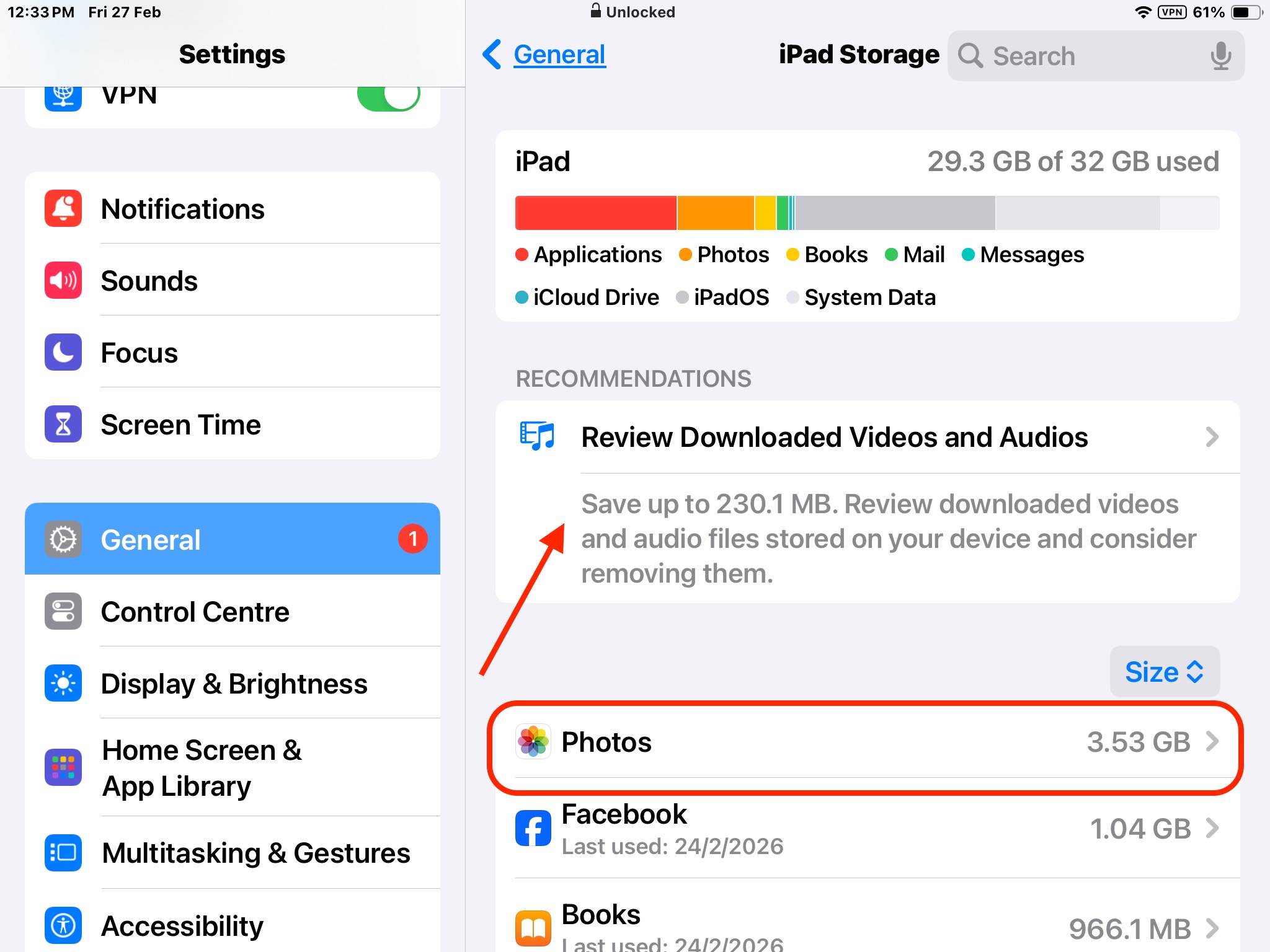
Having deleted some apps, and videos, restart the iPad to see if that has been enough to free up enough storage,
once again goto System > General > Software Update
Some Apps once deleted will free up a lot more storage than they indicate.
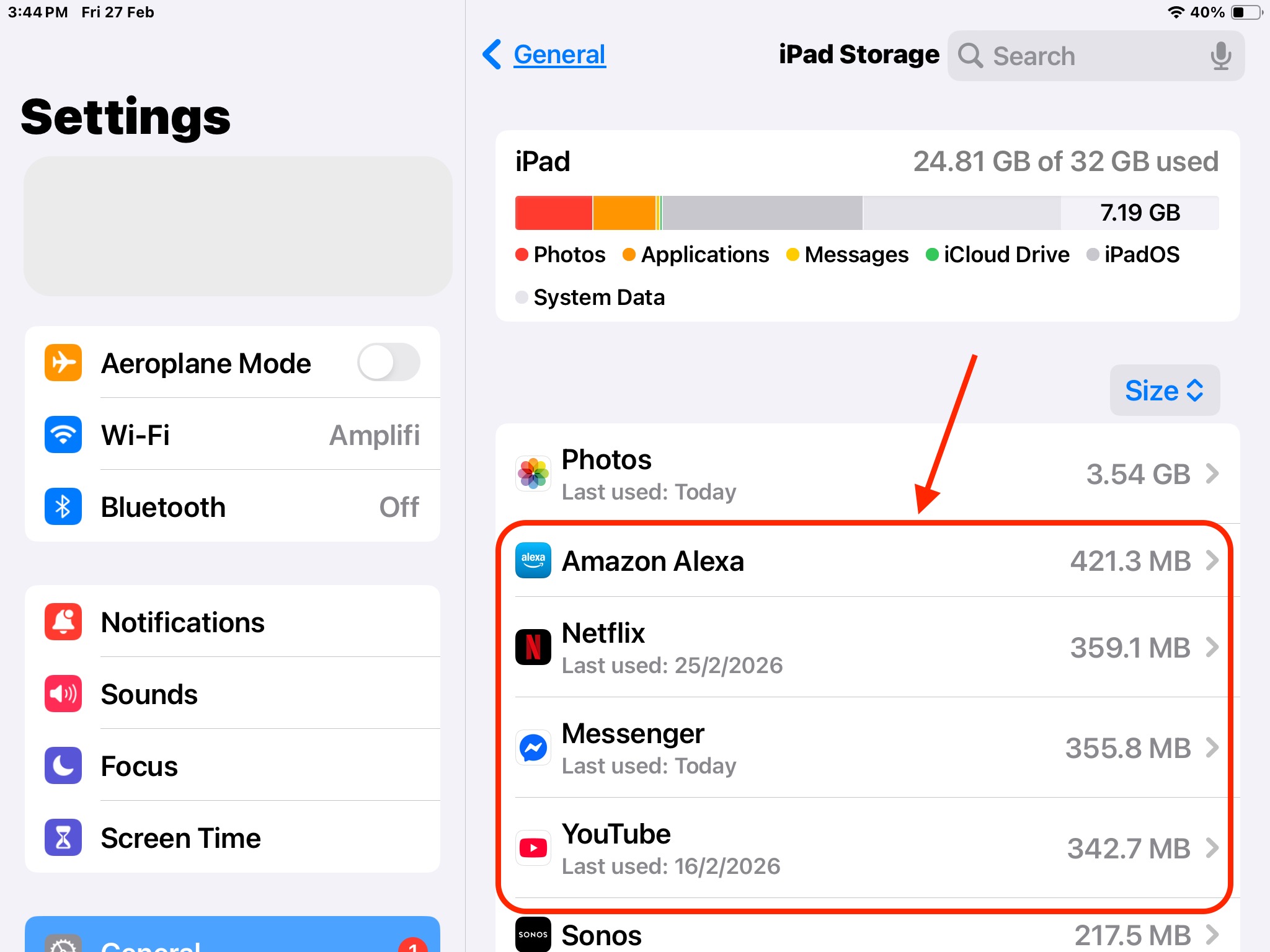
Try deleting Streaming Services Apps such as Netflix, Amazon Prime, Disney one at a time, reboot and
once again goto System > General > Software Update
rinse-and-repeat the process until enough space becomes available to run the updates.

Once updated you can re-add the deleted apps until the next time you need to do a major update.
Can I update my iPad using a computer?
Yes. If your iPad doesn’t have enough space to update directly, you can try installing the update using a computer.
On a Mac:
- Connect your iPad to your Mac using a compatible cable.
- Open Finder.
- Select your iPad in the Finder sidebar.
- If prompted, unlock your iPad and choose to trust the computer.
- Select Check for Update and follow the instructions if an update is available.
On a Windows computer:
- Connect your iPad using a compatible cable.
- Open the Apple Devices app, if available, or use the supported Apple software for your Windows setup.
- Select your iPad.
- Choose Check for Update and follow the prompts.
Before updating, back up your iPad in case something goes wrong. Keep the device connected while the update is in progress, and don’t disconnect it until the process has finished.
For the latest instructions, see Apple’s official guide: If you can’t update or restore your iPad.
Need help with your computer or technology?
iTech WA provides friendly, professional IT support for homes and small businesses in Bridgetown and the South West.
With more than 40 years of IT experience, I provide practical, plain-English advice and personal service.
Friendly, professional IT support that comes to your door.

