

If you want to upgrade to Windows 11, the first step is to check whether your computer meets Microsoft’s hardware requirements. If it does not, there are other options to consider before replacing your computer.
IMany Windows 10 computers can be upgraded to Windows 11 for free, provided they meet Microsoft’s hardware requirements. The most reliable way to check is to run Microsoft’s PC Health Check app. It will tell you whether your computer is compatible and, if not, may identify the reason it cannot be upgraded.

If PC Health Check isn’t installed on your computer, download it from Microsoft’s official website: https://aka.ms/GetPCHealthCheckApp. Follow the instructions to install the app, then open it to check whether your computer meets the requirements for Windows 11.
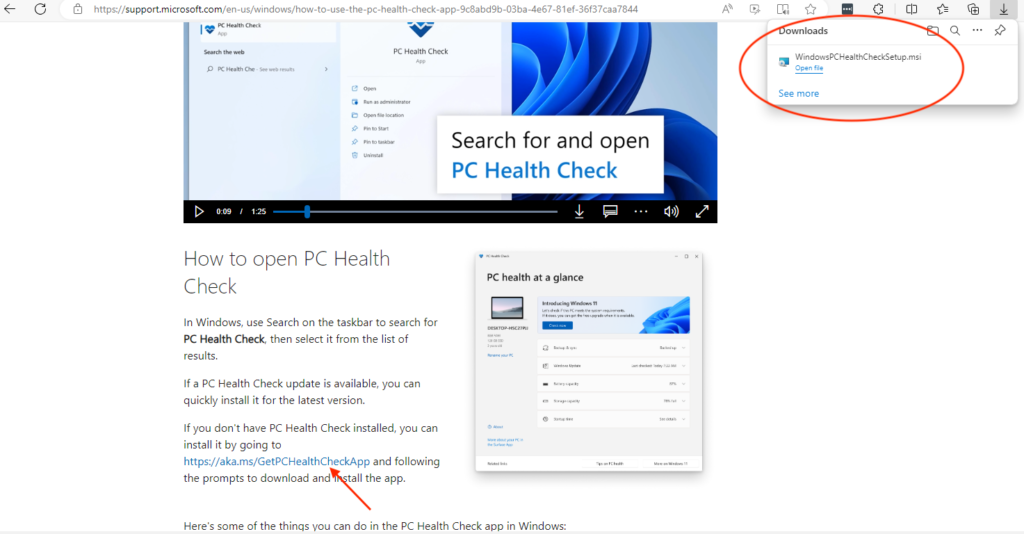
Microsoft’s official PC Health Check guide explains how to download and use the app. Visit the Microsoft PC Health Check instructions to install the app and check whether your computer meets the requirements for Windows 11. You can also watch Microsoft’s video guide for help with the process.›

Download, install and open PC Health Check
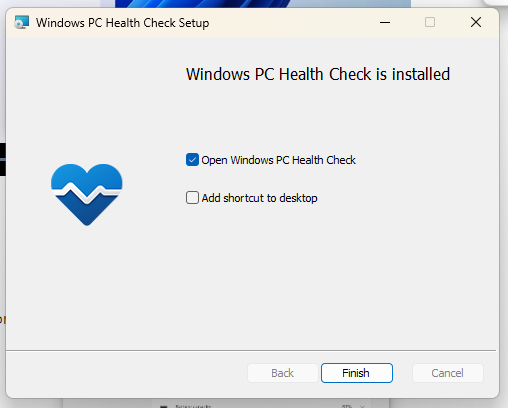
Download PC Health Check from Microsoft’s official website and follow the installation instructions. When installation is complete, open the app.
In PC Health Check, click Check now under “Introducing Windows 11” to see whether your computer meets the requirements.
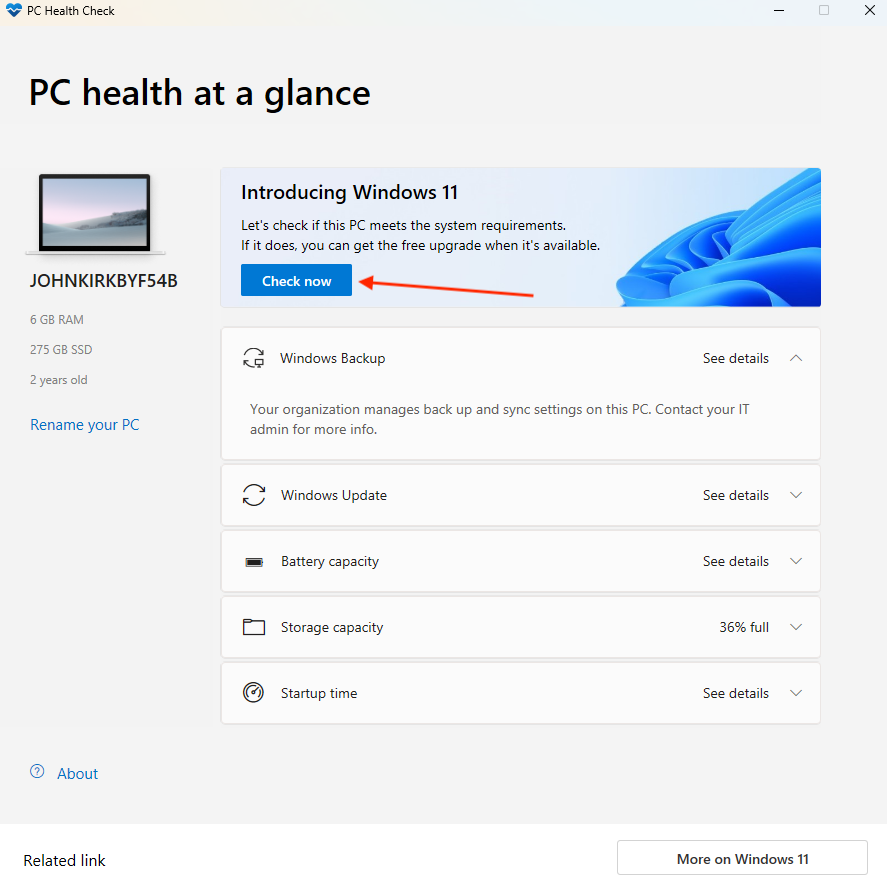
Click the “Check Now” button and hopefully you DO NOT see the following message
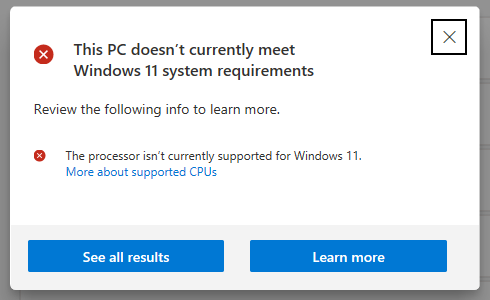
If you see this message, your computer does not meet Microsoft’s current requirements for Windows 11. You do not necessarily need to replace it immediately. You have several options, depending on your computer’s condition, your security needs and whether you are eligible for Microsoft’s Extended Security Updates (ESU) programme.
How to check whether your PC can upgrade to Windows 11
If your computer is compatible with Windows 11, upgrading is generally the best long-term option. Before upgrading, back up your important files and check that your essential programs and devices will continue to work.
Watching the video will show you how to backup your data to OneDrive. There is a 5GB free allowance for Onedrive (Microsoft) and Apple iCloud. For further pricing click below:
IIf your computer is not compatible with Windows 11, consider your options before buying a replacement. Eligible Windows 10 computers can enrol in Microsoft’s Extended Security Updates (ESU) programme to receive security updates for a limited period. ESU does not provide the full support or feature updates available with a supported version of Windows. You can also consider replacing an older or unreliable computer with a Windows 11 device. See our Windows 11 buyers guide before choosing a new computer.
Need help with your computer or technology?
iTech WA provides friendly, professional IT support for homes and small businesses in Bridgetown and the South West.
With more than 40 years of IT experience, I provide practical, plain-English advice and personal service.
Friendly, professional IT support that comes to your door.

