

Are you having issues with Word, Excel or Other Microsoft Office programs?
If so you may need to upgrade to a newer version.
Users of Microsoft Office 2007, 2011 for Mac and 2010 are facing increasing difficulty in sending and receiving emails and maintaining compatibility of Word and Excel files with other users.
Users of Office 2013, 2016 and 2019 should be able to upgrade to newer supported versions for some time yet.
Moving to the latest copies of Microsoft Office is the only solution (Microsoft 365 or Microsoft Office Home 2024)
What are the differences between the various Microsoft Office versions on offer?
Microsoft Office has many versions but 2 distinct license types
- Licensed per month or per year – now called “Microsoft 365“
- Perpetual licence (one-time purchase) – Microsoft Office 2024
Microsoft 365 – Versions and Features

With Microsoft 365, as long as you renew the monthly or yearly subscription, you will always be running the most current, secure and supported office software.
Microsoft 365 versions vary by features and software packages
- Microsoft 365 Personal – A$159 per year – For one person. Use up to five devices simultaneously. Works on PC, Mac, iPhone, iPad and Android phones and tablets. 1 TB of cloud storage.
- Microsoft 365 Family – A$179 per year – For PC, Mac, iPhone, iPad and Android phones and tablets* – Up to 6 TB of cloud storage (1 TB per person) – For one to six people
It is still possible to purchase Microsoft Office outright however Microsoft Office 2024 versions do not include Outlook and the 1TB Cloud storage allowance. Outright purchase options are as follows:
- Microsoft Office Home 2024 – A$219 – Single user, single device. No Outlook.
- Microsoft Office Home & Business 2024 – A$379 – Single User, Sinle device – Fully installed versions of Outlook, Word, Excel, PowerPoint for Windows or Mac
Most users have no problem installing the new versions themselves but then others run into issues or would prefer to have a professional do the upgrade for them. We offer such services as follows, remotely (All Australia) or on site South West WA
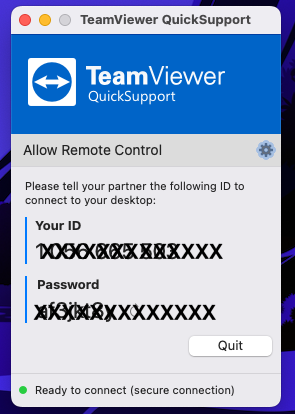
Remote Basic Remote setup $49 – (up to 30 minutes) We guide you through the setting up of a Microsoft Account to helping you purchase the correct version from the Microsft Website, to downloading and setup of Word, Excel and Outlook. However, if Outlook does not automatically convert the old accounts, further charges will incur as below.
Addition Remote setup $49 per 30 minutes. – Should Outlook not configure automatically, further work maybe necessary to setup your mail accounts, deal with corrupt mail files etc. This is quite common and occurs in around 50% of all installs. Additional work may also be required if you wish to move your Documents and Pictures to Onedrive for backup or offline storage.
Need help with your computer or technology?
iTech WA provides friendly, professional IT support for homes and small businesses in Bridgetown and the South West.
With more than 40 years of IT experience, I provide practical, plain-English advice and personal service.
Friendly, professional IT support that comes to your door.

